The below process is only available to users with an admin permission level. If you are a manager, please check out this article.
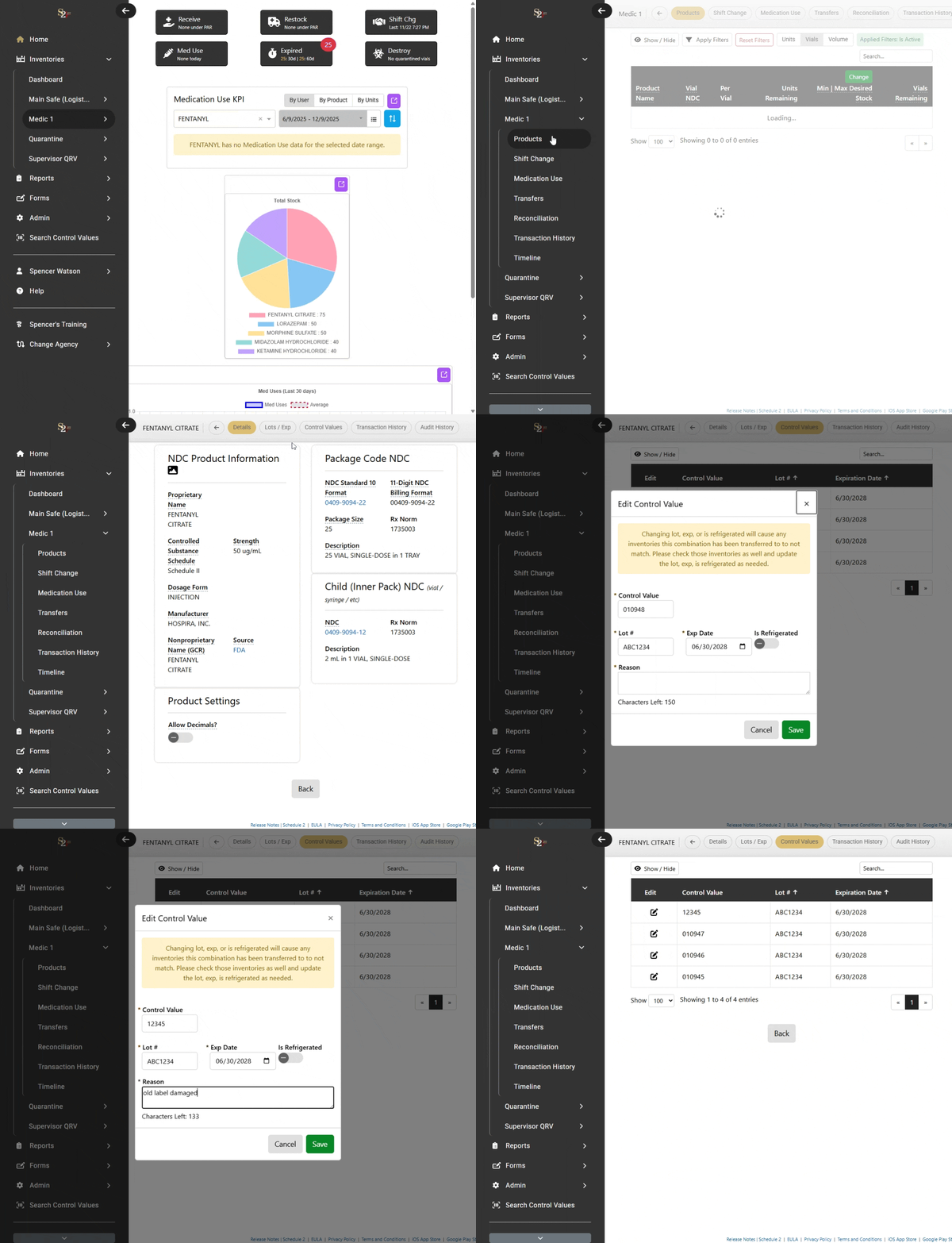
1) Menu > Desired Inventory > Products.
2) Select the name of the product you wish to edit.
3) Select Control Values from the header menu.
4) Click on the "edit" icon in the column of the Control Value you wish to change.
5) Type in your new Control Value and click "Save".
-You must provide a comment for the reason you are changing the control value