Prefer a video tutorial?
*If your agency does not utilize control values, see this article
- Your home screen may show a box/kit/pouch in your possession. If not, navigate to Menu>Inventories>" Box Name">Medication Use>Add Medication Use
- Reminder: Your agency may call this "Controlled Substance Use" or "Narc Administration"
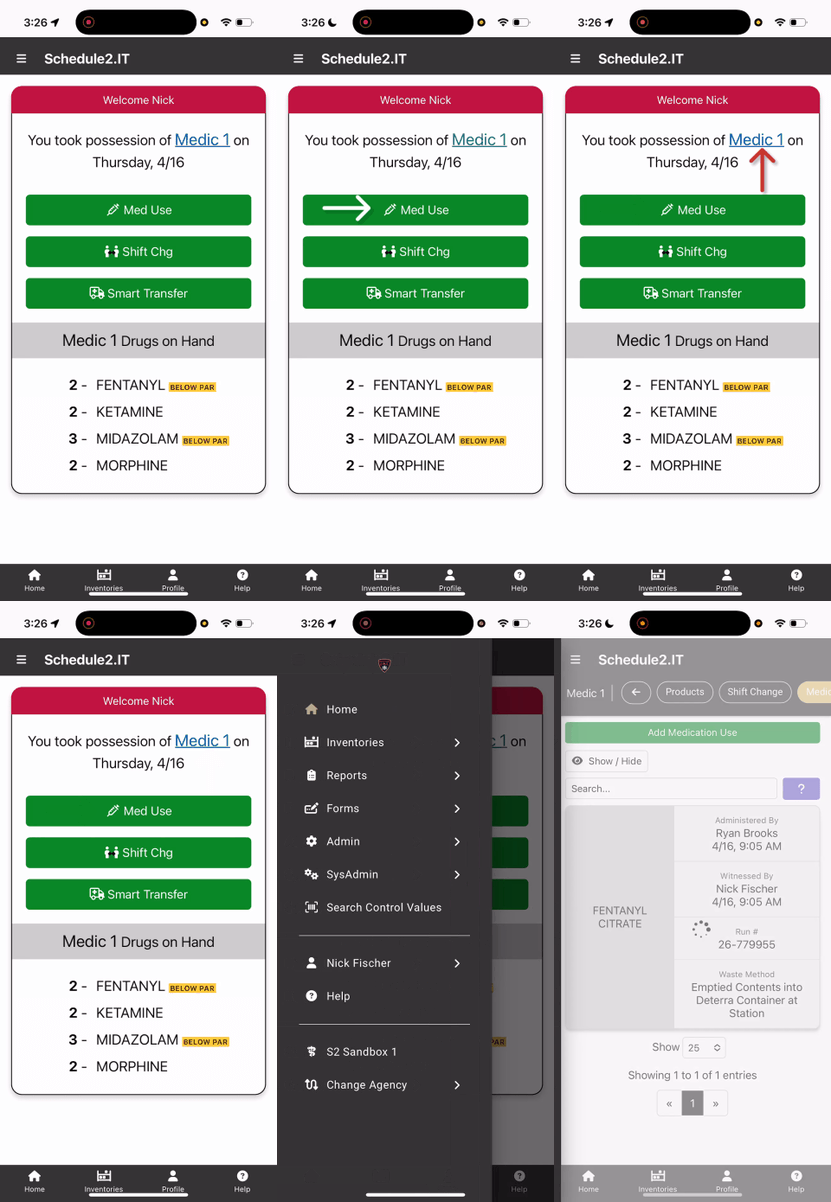
- From the home screen: Select "Med Use," and scan the Control Value Label on the vial.
- If typing in the control value #, select the keyboard icon.
- Enter total administered + wasted.
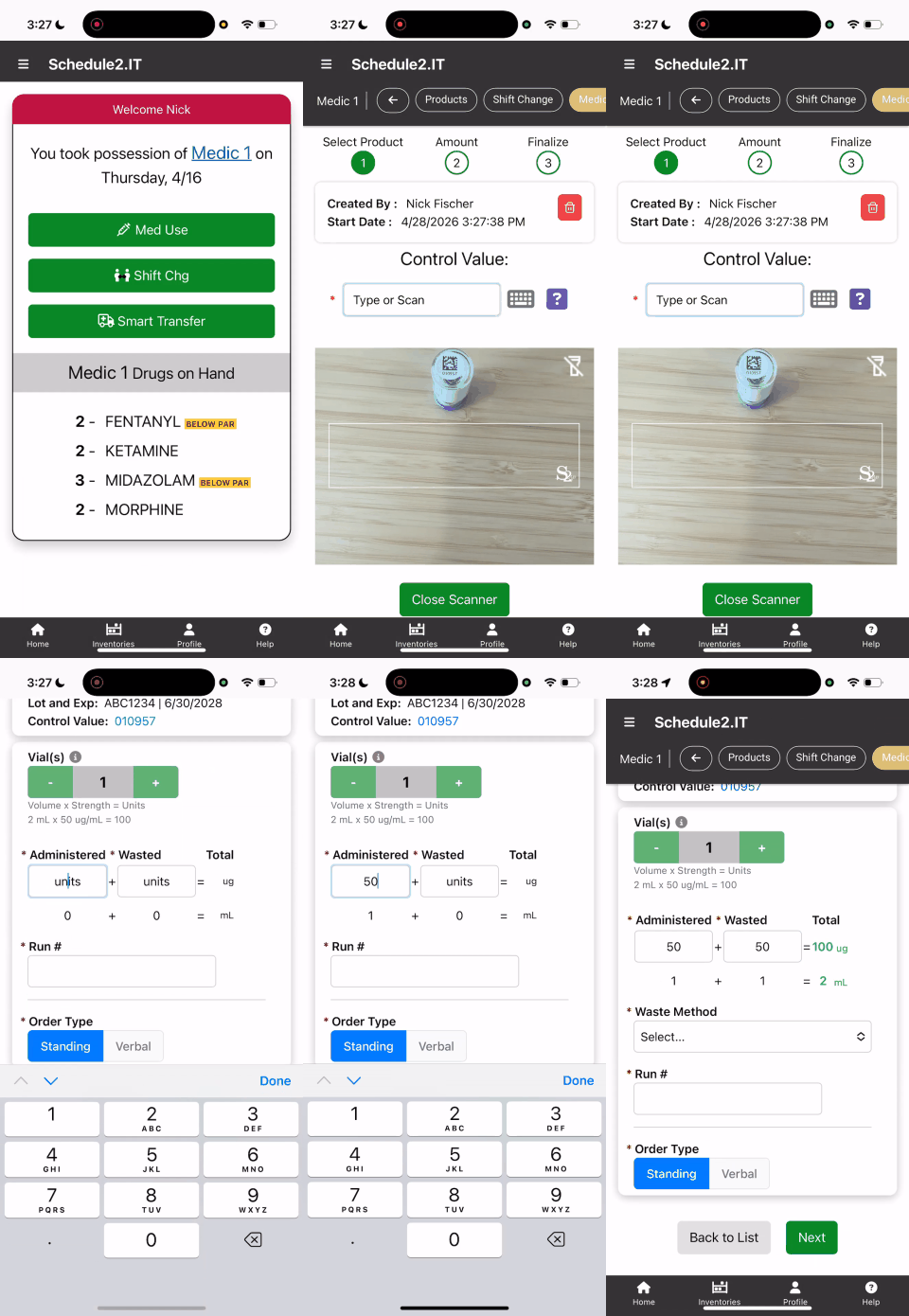
- Using more than one vial? A separate med use will need to be completed for each vial used since control values are unique to each medication.
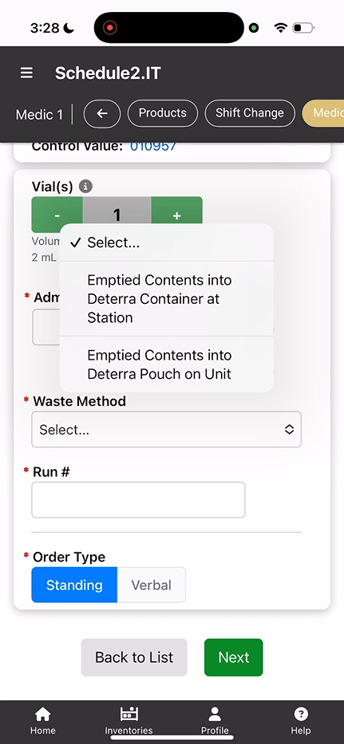
- DEA Updates to Medication Use Documentation
- Select an approved waste method for this usage (1304.27.7)
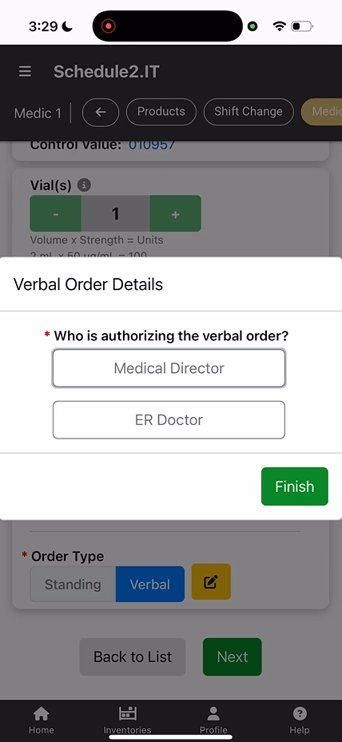
- Select "Standing" or "Verbal" Orders. Our system defaults to "Standing" (1304.27.10)
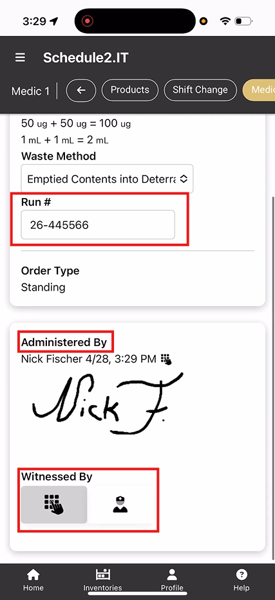
- If Required, Enter a Run/Incident #.
- Verify this Med Use by entering your PIN. Witness PIN can be a partner, or nurse witness.