Prefer a video tutorial? Click Here.
1.) Navigate to Menu>Admin>Settings>Features>Seals
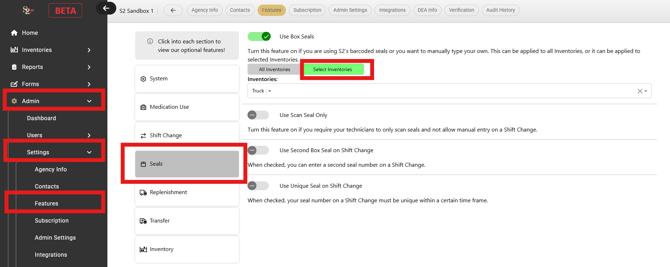
2.) Under "Use Box Seals" click on "select inventories."
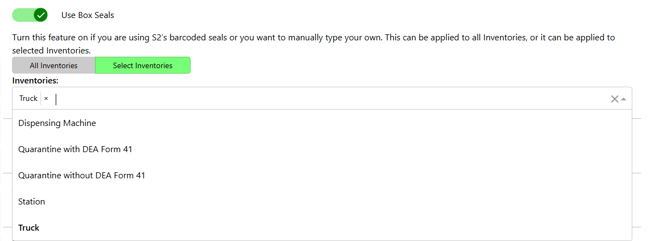
3.) Select which inventories are using box seals. If you are only sealing trucks, simply select "truck."
4.) If you are only sealing select truck/station/dispensing inventories...
-Navigate to Menu>Inventories>Dashboard
-Select the "Edit" Icon next to an inventory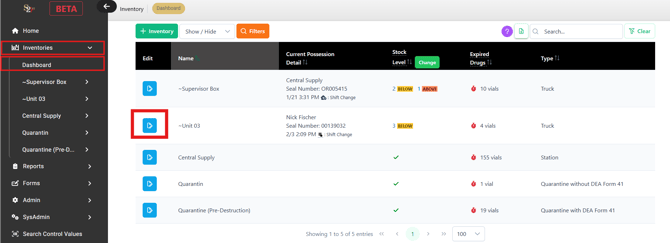
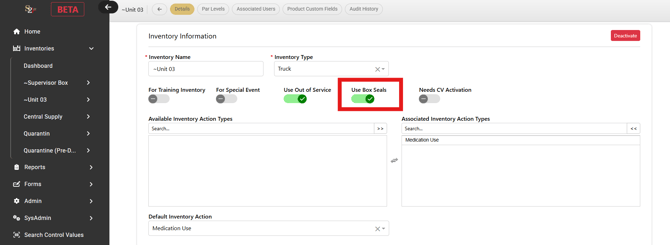
5. Enable/Disable Box Seals on this inventory only by clicking "Use Box Seals."