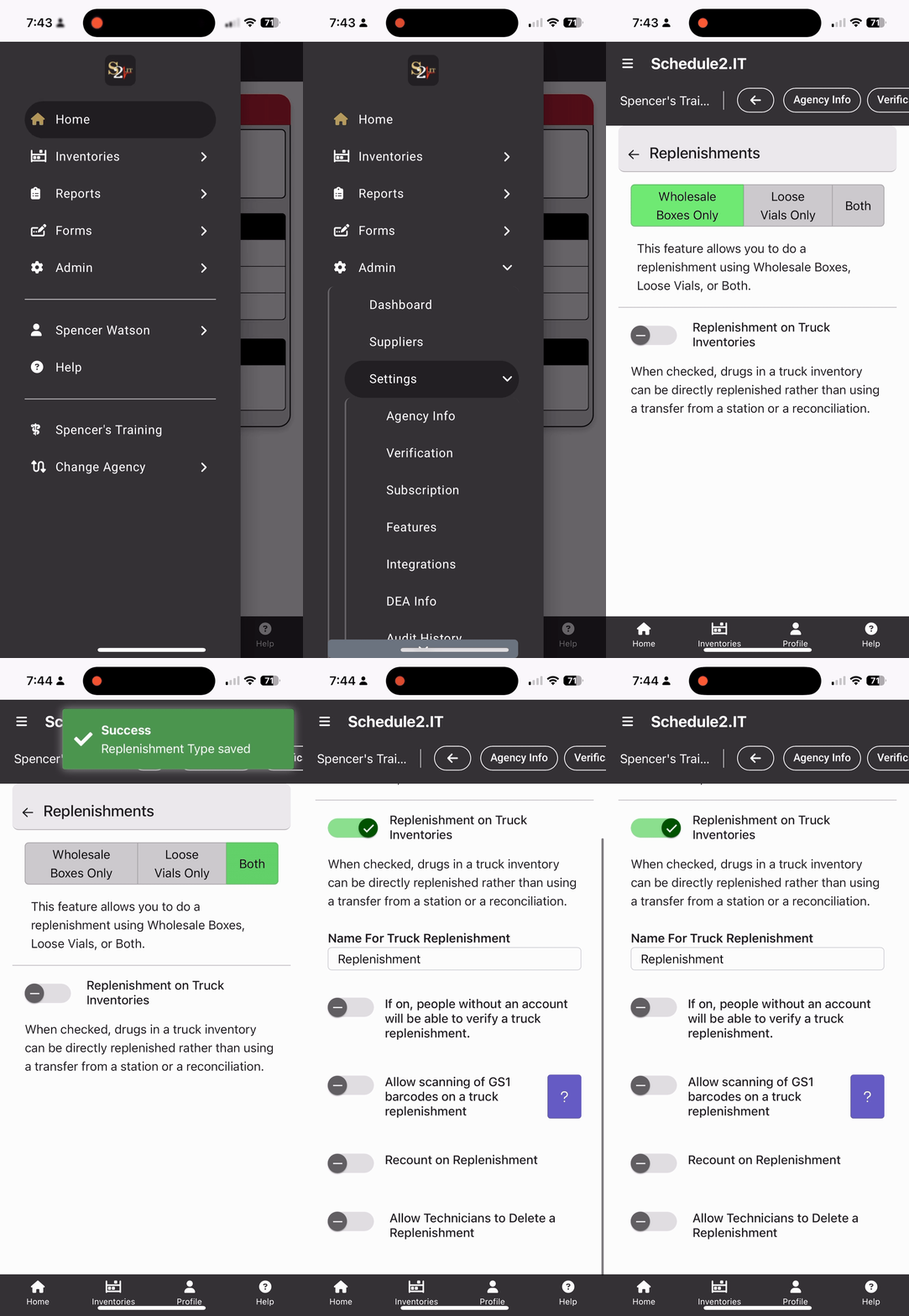
Enabling Truck Replenishment?
Configuring receiving Wholesale boxes and/or loose Vials⬇️
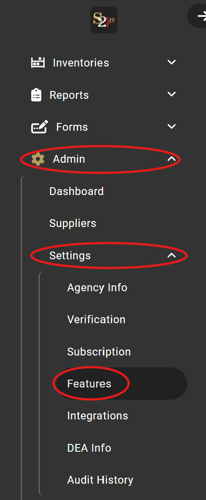
Navigate to Admin > Settings > Features
Replenishment Settings

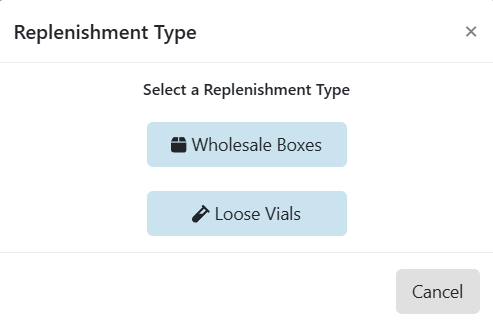
When the "Both" option is selected, you will be prompted to pick a replenishment type when starting a new replenishment for a station inventory:
Enabling the "Truck Replenishment" feature
1) Go to Admin > Settings > Features > Replenishment
2) Change "Wholesale Boxes Only" to "Loose Vials Only" or "Both" to allow for replenishment of individual vials.
3) Toggle on "Replenishment on Truck Inventories"
- Once turned on, you will be able to change the name for truck replenishments
- Turn on additional options applicable to your agency's needs:
- Allow those without a S2 account to verify replenishment:
- Useful for allowing hospital personnel to verify when replenishing from pharmacy
- Allow scanning of GS1 barcodes
- Useful if replenishing whole boxes
- Recount on replenishment
- Force users to complete an inventory count after completing a truck replenishment
- Allow Technicians to delete a replenishment
- Allows standard users to delete a truck replenishment created erroneously.
- Allow those without a S2 account to verify replenishment: