Video Tutorial Available: View Tutorial
Quicklinks:
Shift Change - Box Still Sealed
Shift Change - New Box Seal & Recount
Placing Inventory Out Of Service
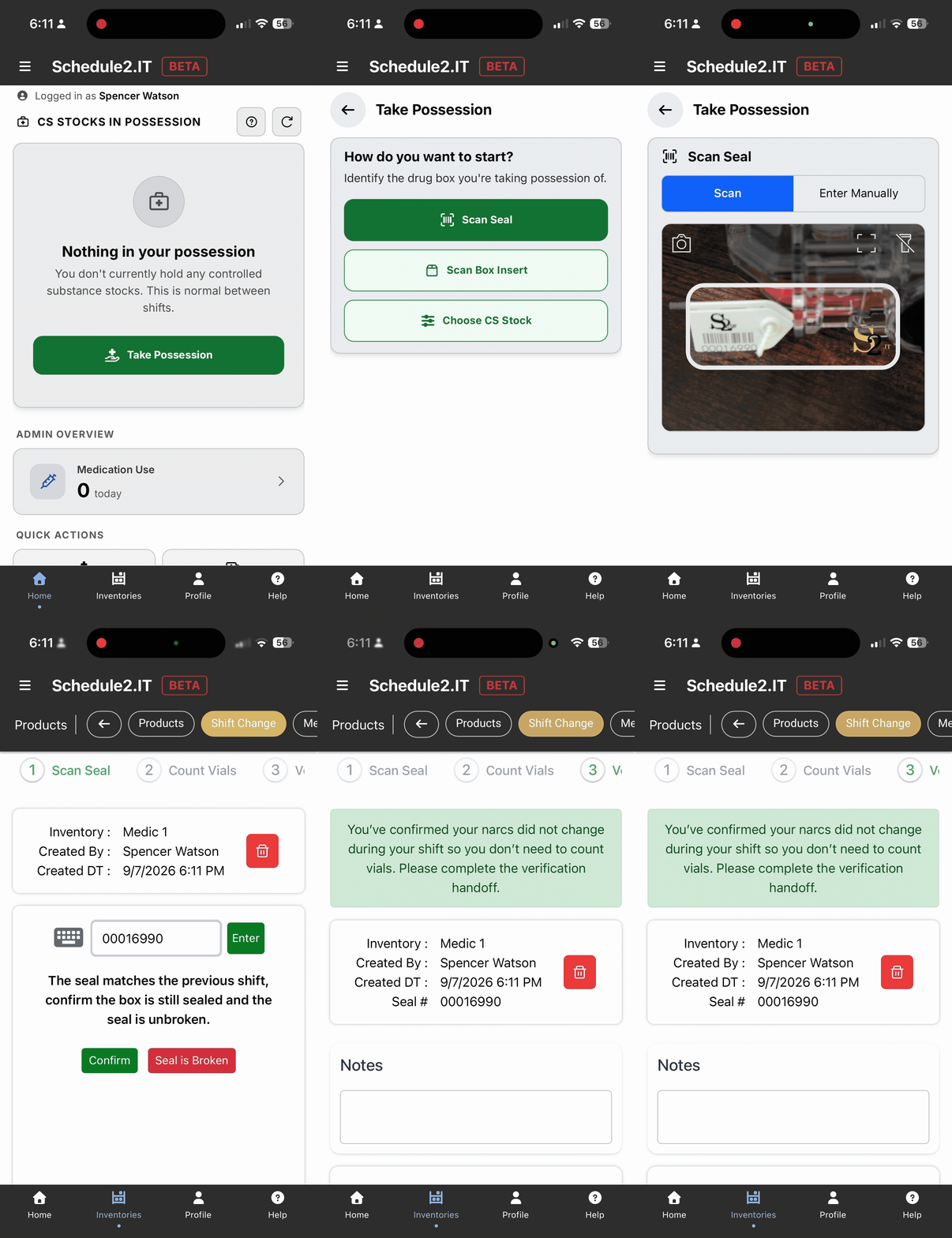
1) Select "take possession"
2) Identify the drug box/inventory you want to take possession of:
a) Scan Seal - select this option when drug box has unbroken seal present
-
- Scan barcode seal or enter seal number
- Confirm seal is intact and matches previous shift
- You will not need to complete an inventory count
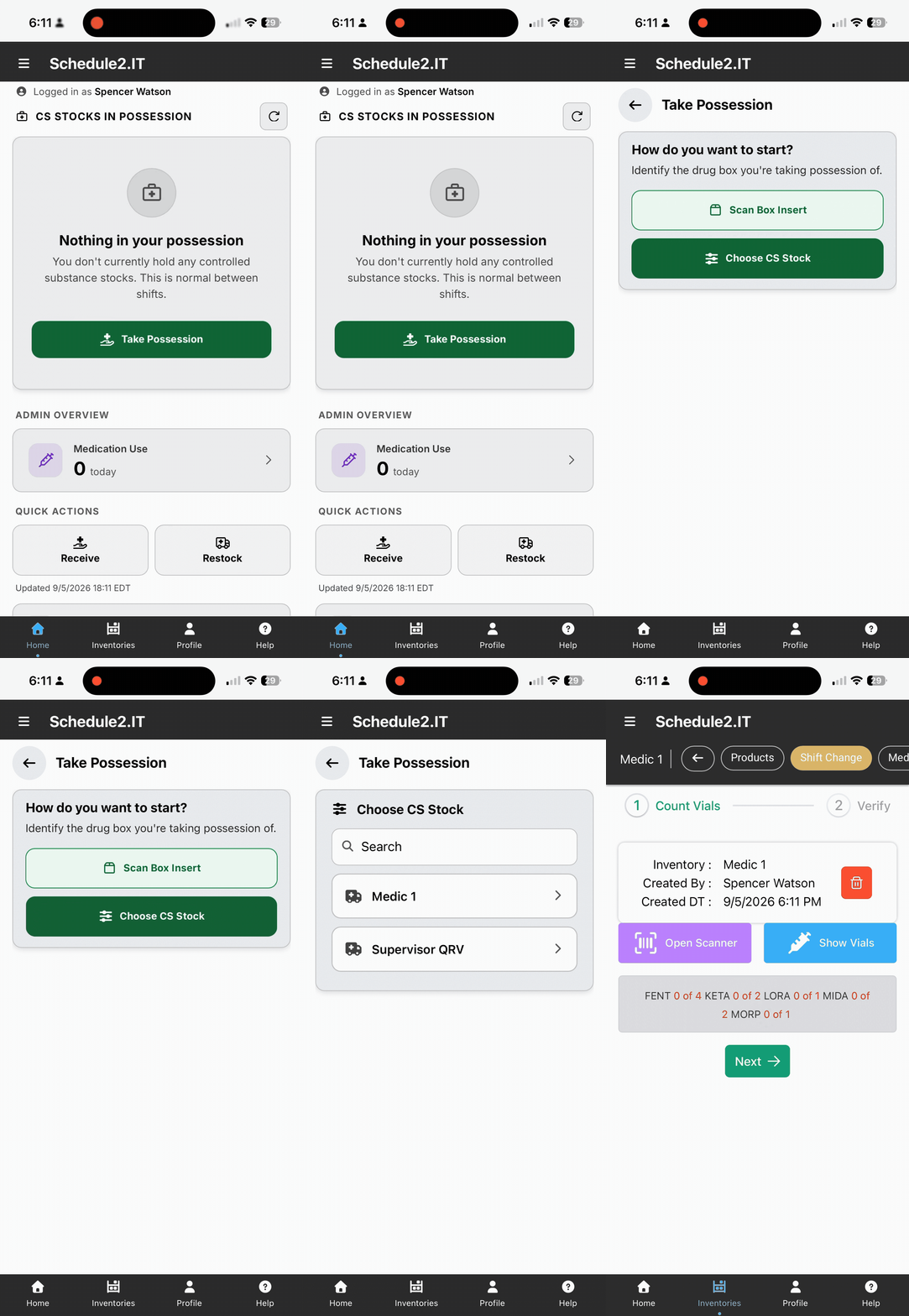
b) Choose CS Stock - select this option when not using box seals or if box seal was broken during previous shift
1. Select an inventory
2. Scan new / replacement box seal (if applicable)
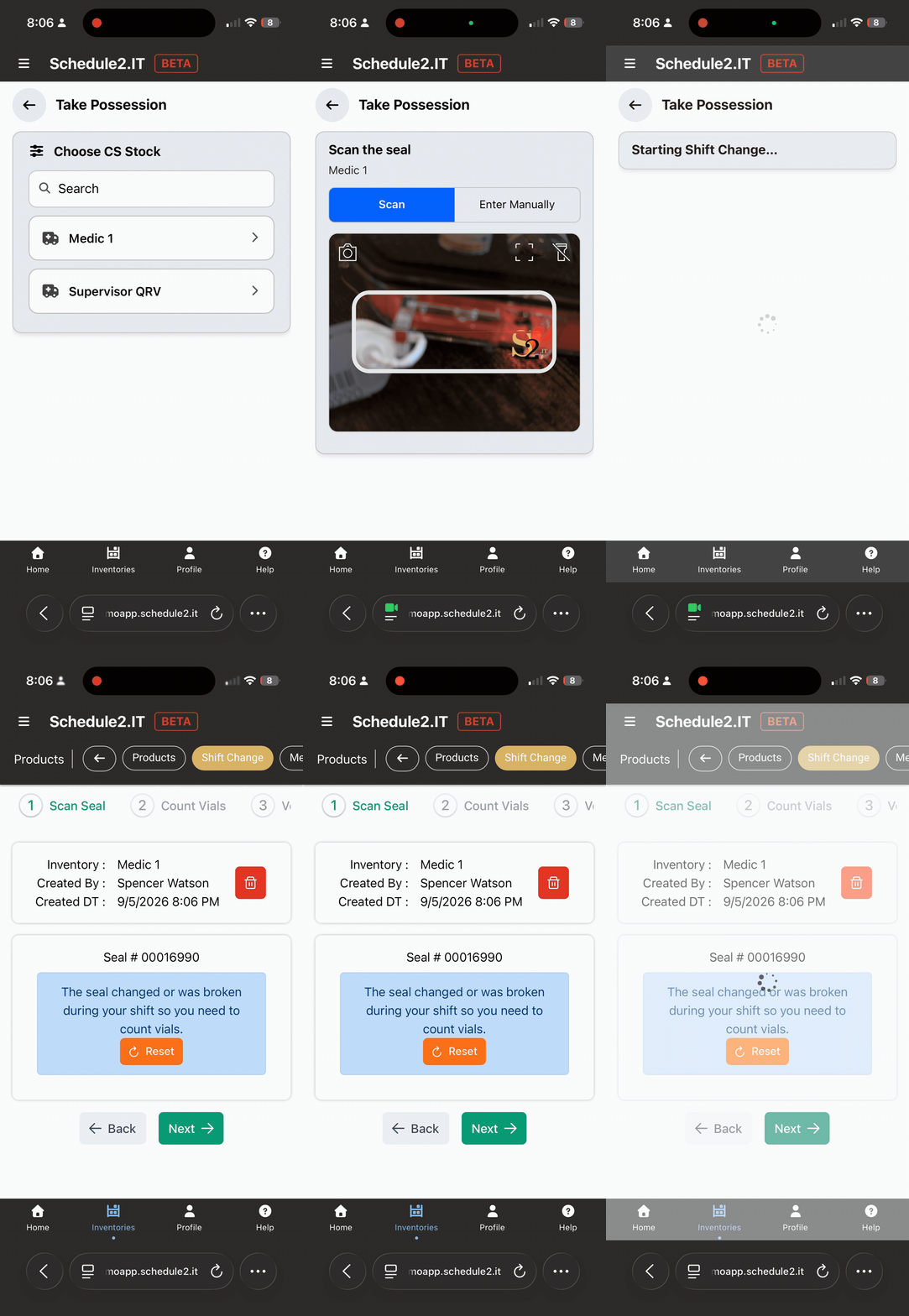
3) Complete Inventory Count
a) Not Using Control Values
1. Enter count for each controlled substance present
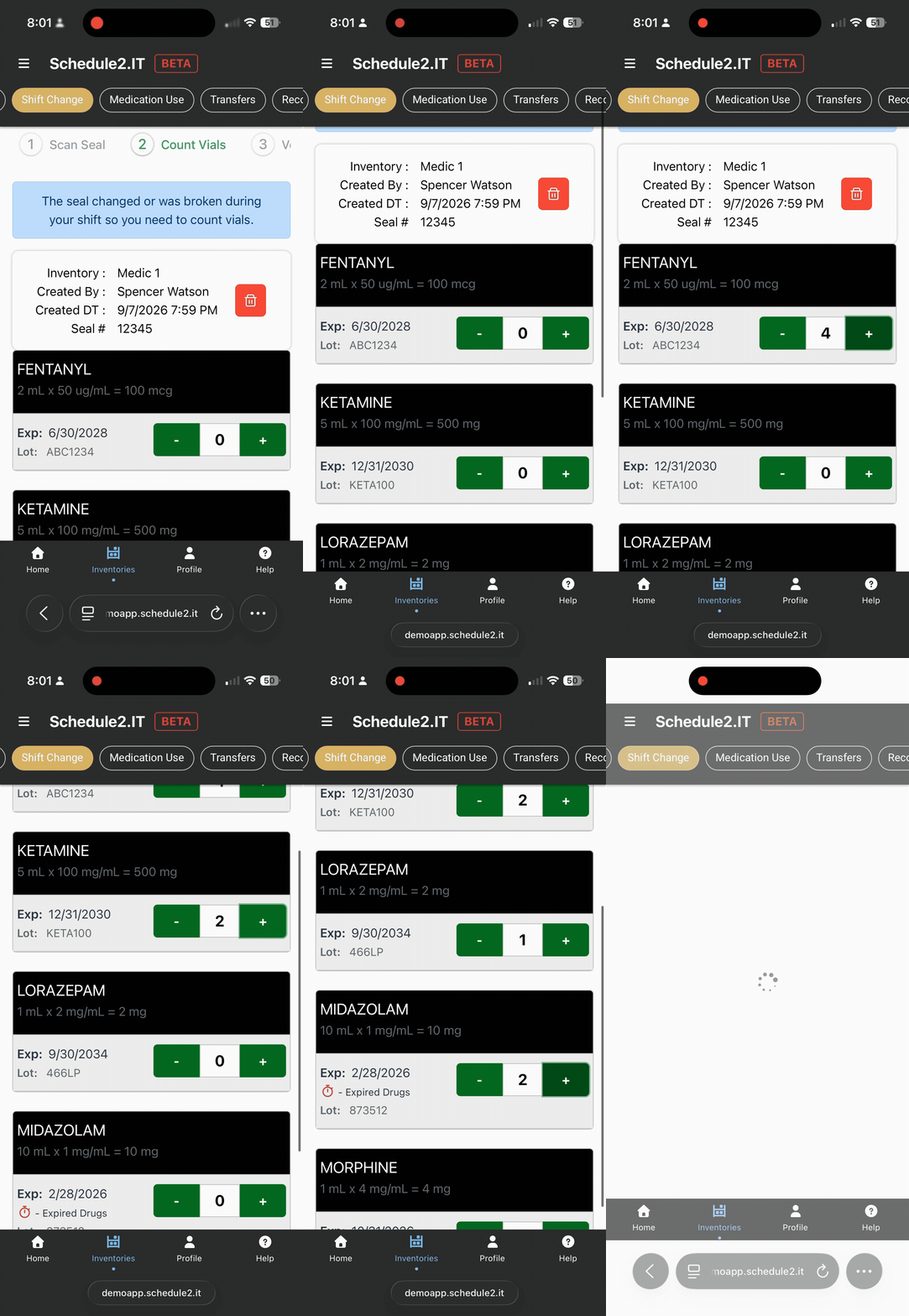
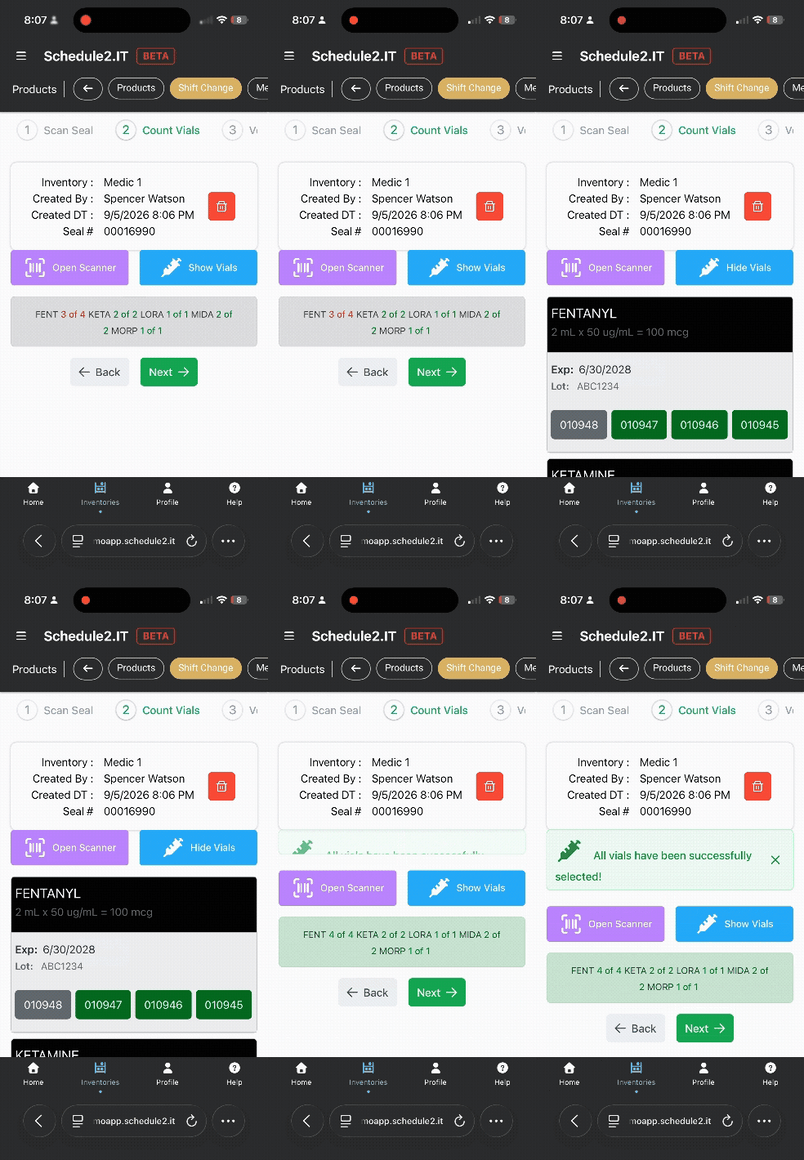
b) Using Control Values - Unique Controlled Substance ID / barcode assigned to each vial
1. Allow camera and scan control values
2. If you are unable to scan one or more control values, select "finished scanning" then "show vials" to manually select any remaining vials
-
- Unscanned control values will appear gray and turn green as they are selected:
4) Provide Verification Signatures
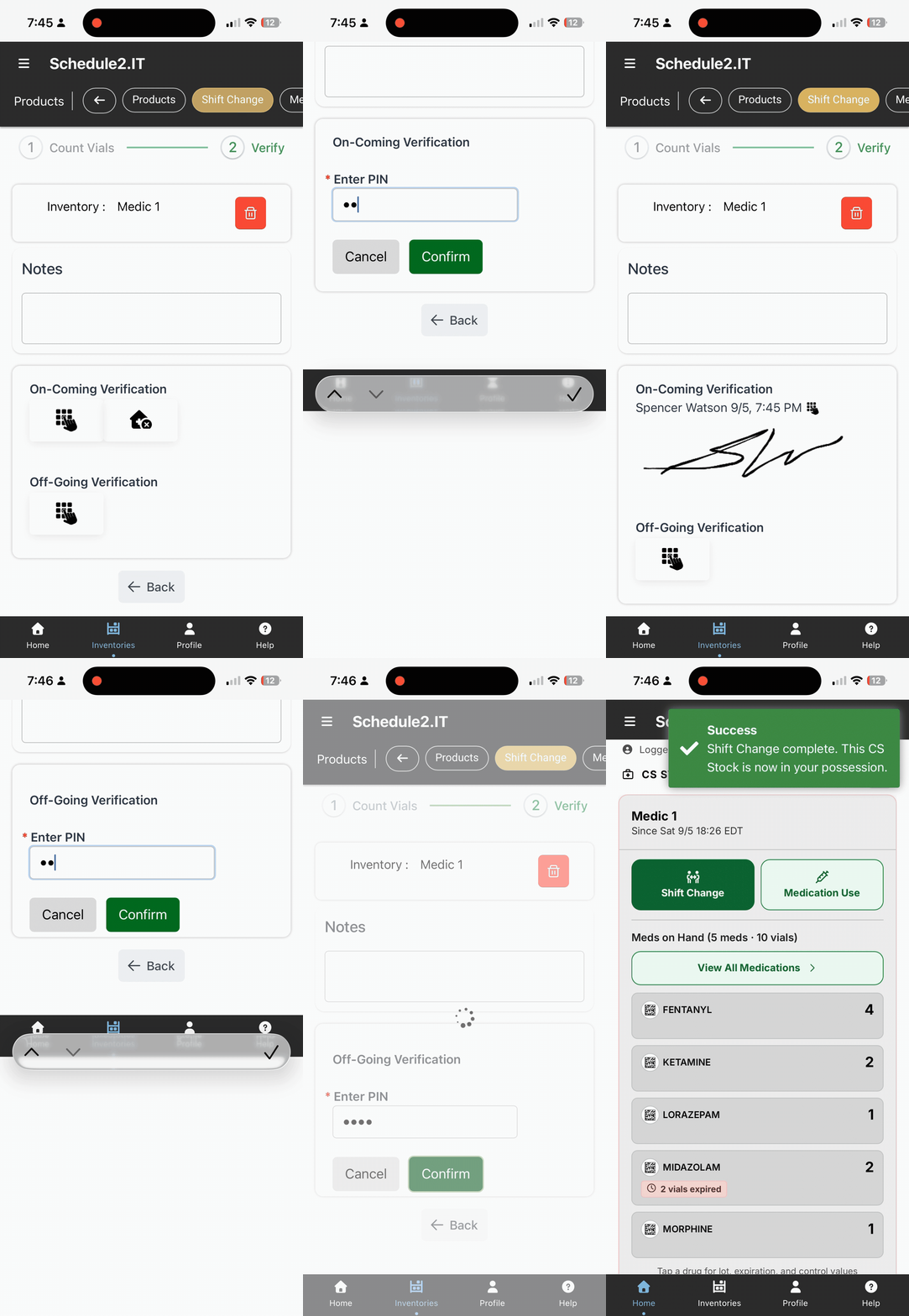
-
On-coming provider enters their pin to take possession.
-
Off-coming provider enters their pin to release possession.
-If box is currently "Out of Service", no Off-Going pin is needed.
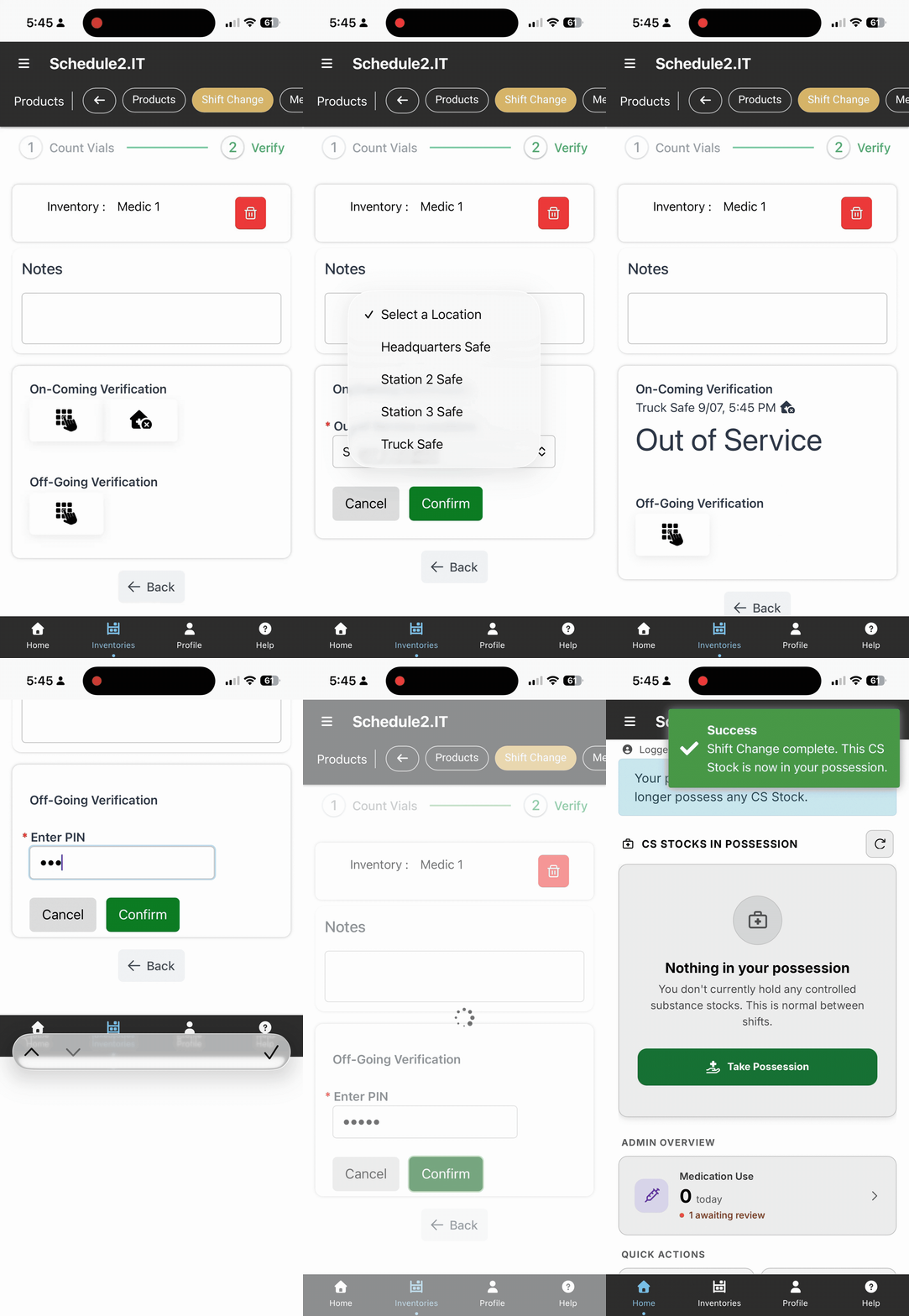
Placing Inventory "Out of Service"
To release possession of an inventory when there is no on-coming provider to take possession:
1) Select the Stationhouse Icon instead of entering a PIN in the On-coming verification section
2) Select an out of service location
3) Off-going provider will enter their PIN to sign the inventory out of service and release possession
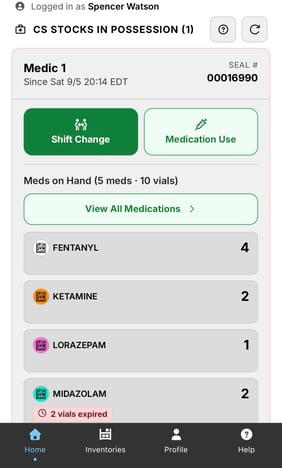
Once a controlled substance inventory is in your possession, it will appear on the home screen.